Use this guide to create, edit, and maintain custom Clara Templates.
Clara Templates define how AI structures and formats generated notes.
Create a New Template
Go to AI Scribe → Templates.
Click Create Template.
A new Untitled Template opens in the editor.
You can begin editing immediately.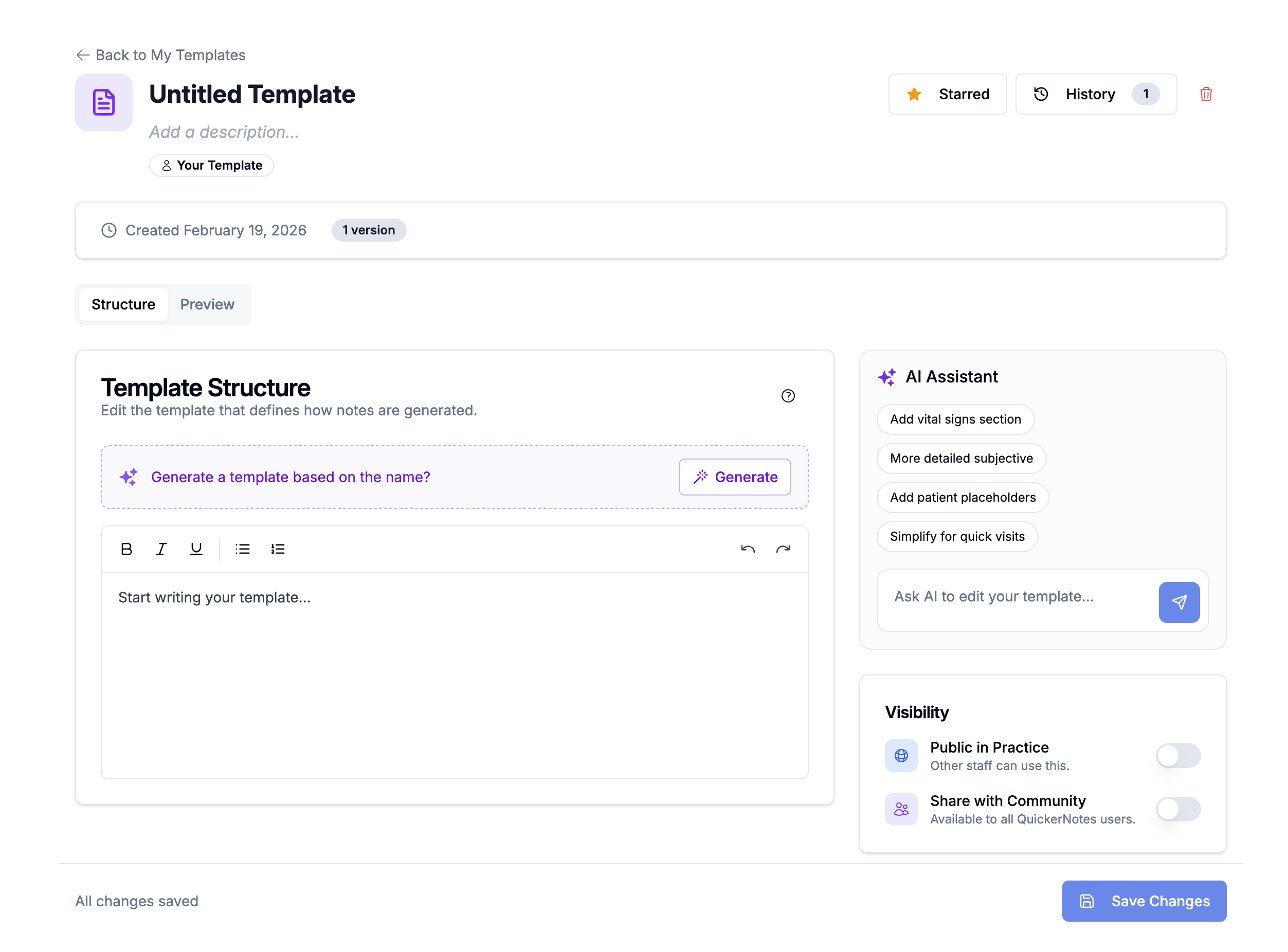
Edit Core Fields
At the top of the editor:
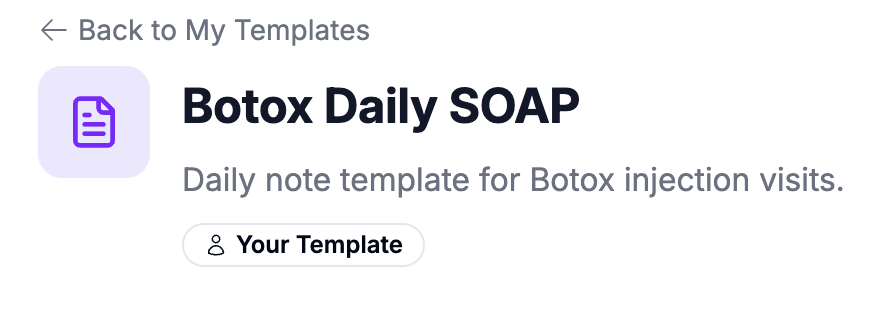
Click the Template Name to edit inline.
Click the Description to edit inline.
Name and description auto-save when you click outside the field.
You can also use the Template Name to help generate the template structure.
If the Template Structure is empty, clicking Generate will use the template name (and description, if provided) to create a structured starting draft.
Use clear, specific names (for example, “Botox Follow-Up SOAP” or “Chiropractic Re-Exam Note”) so staff can easily identify the template during note generation and so AI generation produces more accurate results.
Build the Template Structure
In the Template Structure section:
Edit content using the rich text editor.
Use the syntax help (
?icon) for placeholder and formatting guidance.If the structure is empty, click Generate to create a starting draft based on the template name and description.
Structure determines how Clara organizes output sections.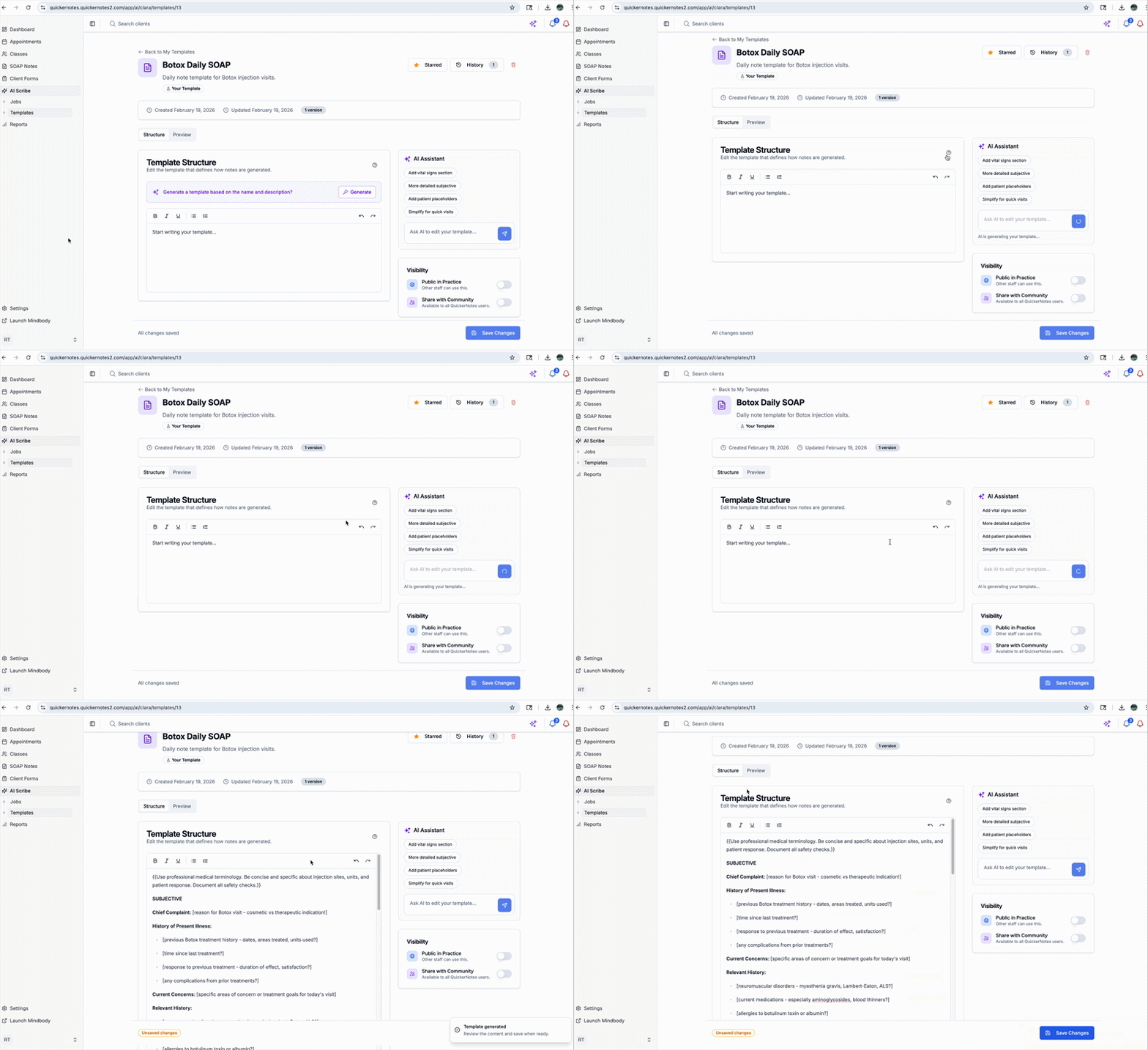
Use the AI Assistant
The right-side AI Assistant panel helps you refine templates.
To use it:
Enter an instruction (example: “Add a vital signs section.”)
Submit the instruction.
Review the proposed changes.
Click Save Changes to apply them.
Always review edits before saving.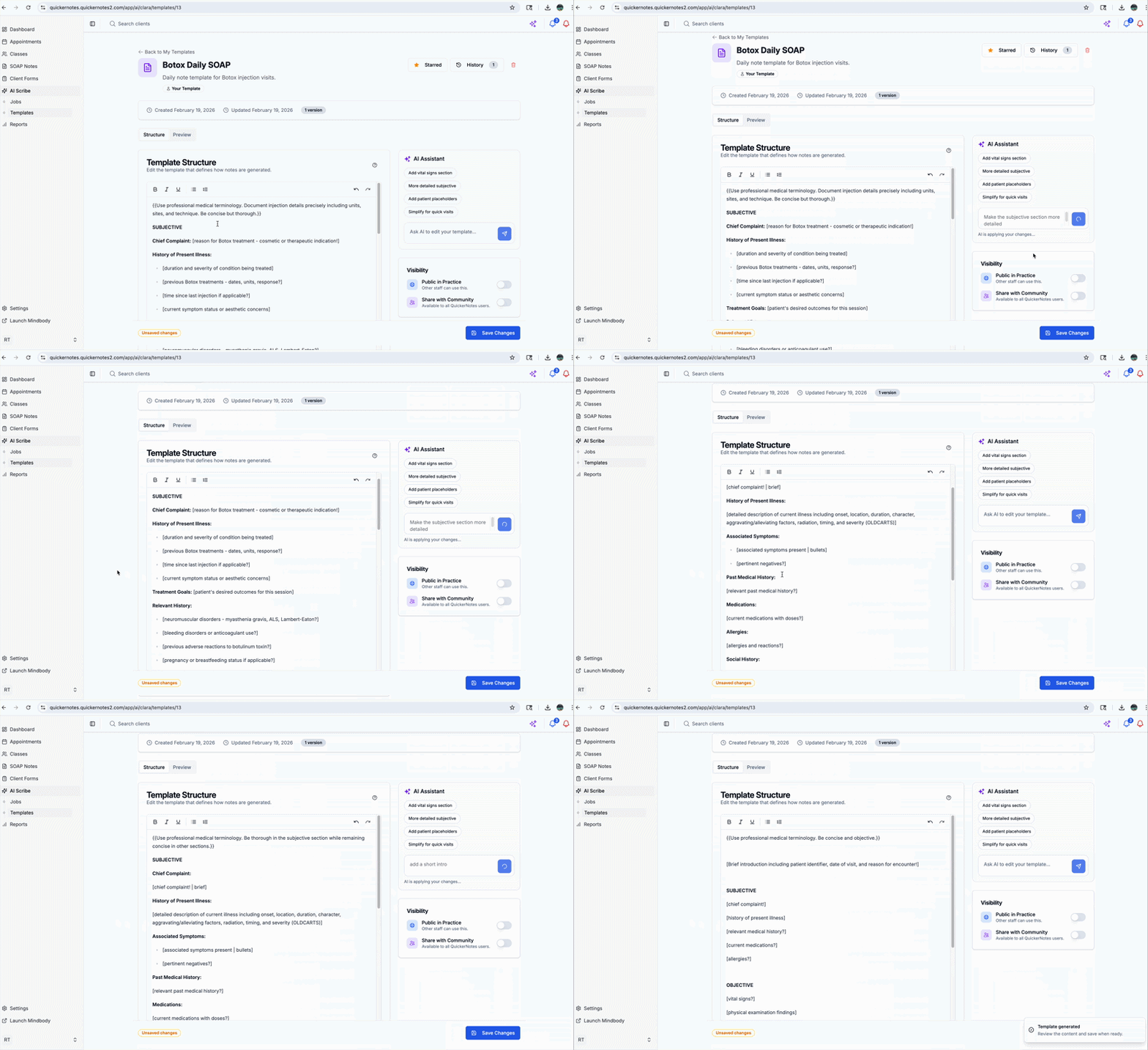
Preview & Quality Check
Use the Preview tab to generate a sample output based on your template.
Before sharing or starring a template:
Confirm section order is correct.
Check clarity of headings and instructions.
Ensure placeholders behave as expected.
If preview generation fails, review the template structure and retry.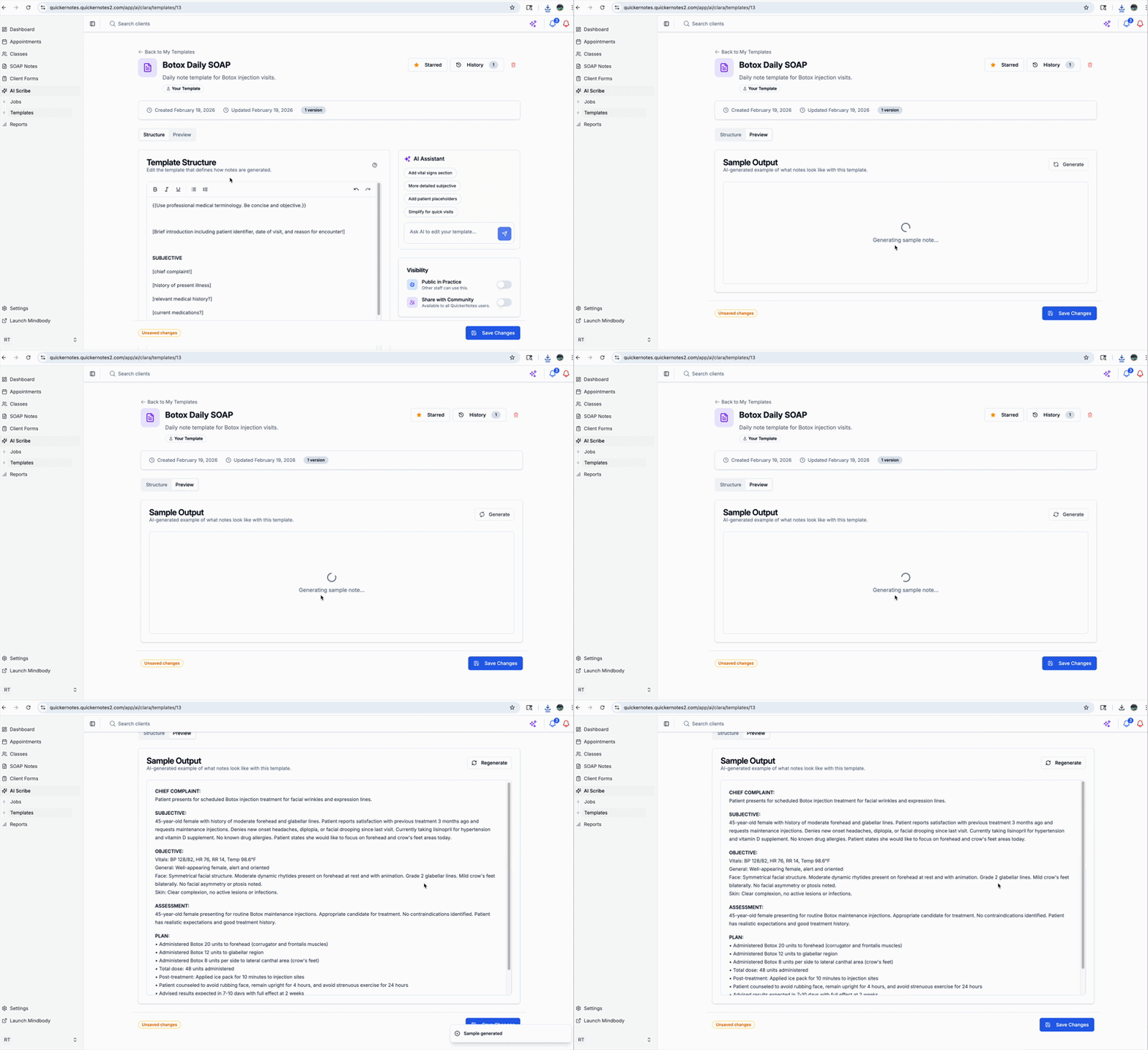
Version History & Revert
Template owners can access History to:
Review previous versions
View change summaries
Revert to a prior version if needed
Reverting restores that version as the current template.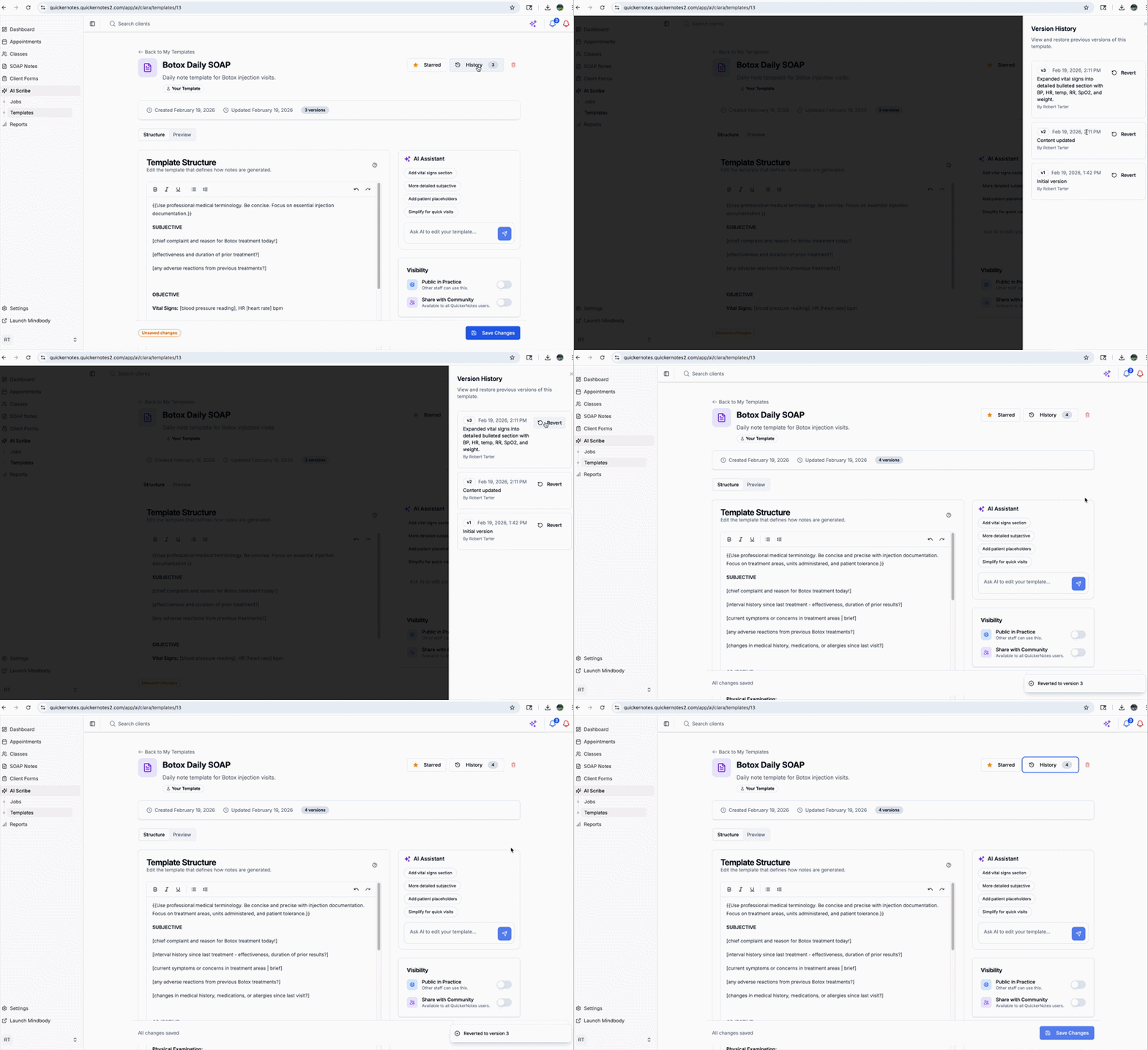
Deletion & Duplication
Owners can delete templates.
Non-owners cannot edit someone else’s template, but can duplicate it and modify their own copy.
Duplicating preserves the original while allowing customization.
Was this article helpful?
That’s Great!
Thank you for your feedback
Sorry! We couldn't be helpful
Thank you for your feedback
Feedback sent
We appreciate your effort and will try to fix the article