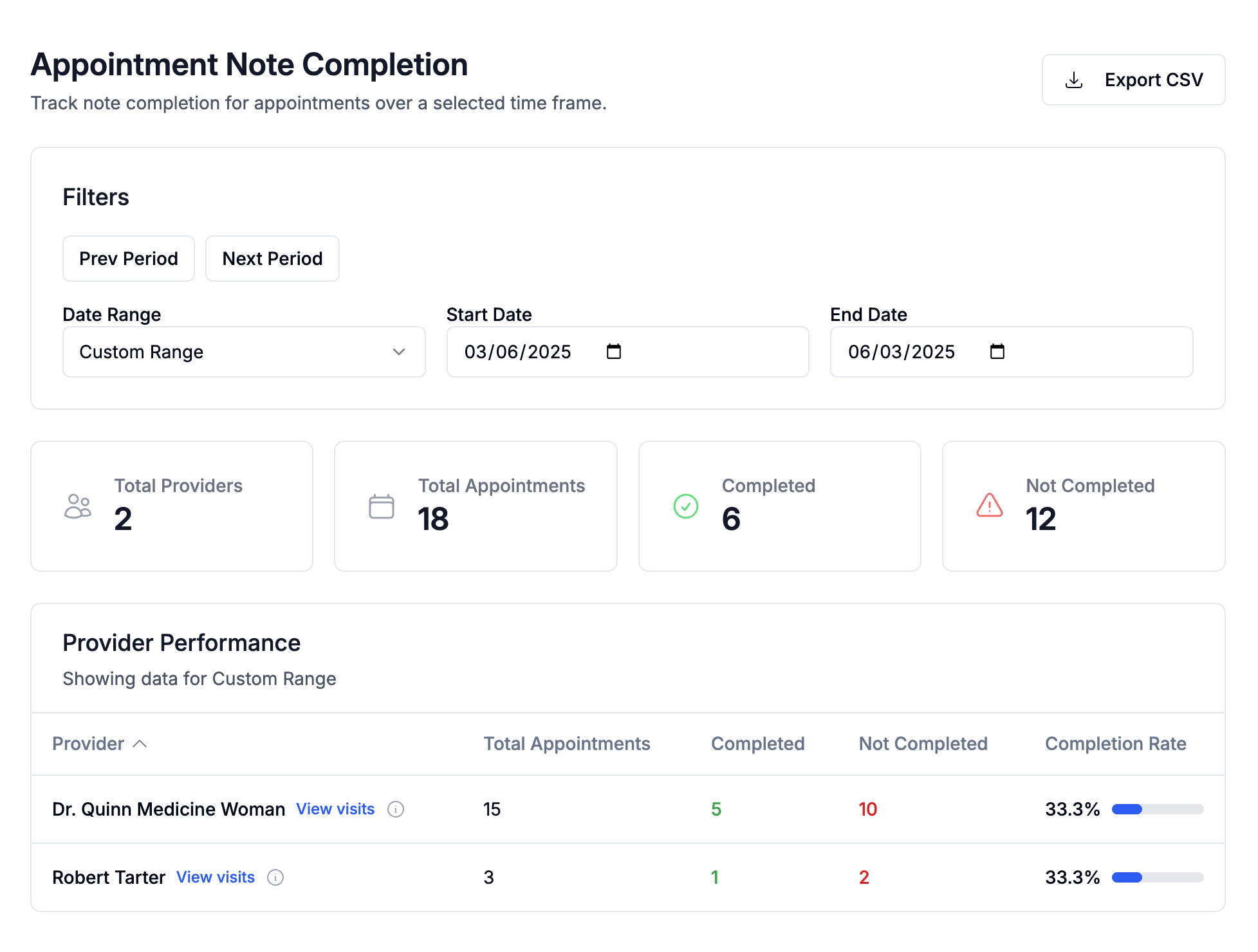
The Appointment Note Completion report helps you track whether SOAP notes have been completed for appointments within a selected date range. This report is useful for monitoring provider compliance, identifying missed notes, and working alongside the Undocumented Visits feature.
More reporting tools will be added over time.
Accessing the Report
Go to Reports → Appointment Note Completion in the left sidebar.
Filters
Use the filter panel to adjust the data shown:
Prev Period / Next Period — move backward or forward in time
Date Range — select a preset range (ex: Last 7 Days)
The report will refresh automatically when filters are changed.
Summary Metrics
At the top of the report, you’ll see a quick overview:
Total Providers — number of providers with appointments in the selected period
Total Appointments — total number of appointments scheduled
Completed — appointments with a signed & completed SOAP note
Not Completed — appointments without a completed SOAP note
Provider Performance Table
Below the summary metrics, each provider is listed with:
Total Appointments
Completed
Not Completed
Completion Rate
This allows you to quickly identify who is on track and who has outstanding notes.
If no appointments match the selected filters, you will see a No data found message.
Export CSV
Click Export CSV in the top-right corner to download the report data for offline review or compliance tracking.
How This Report Relates to Undocumented Visits
The Undocumented Visits feature shows specific appointments that still need a SOAP note.
Use both tools together:
Appointment Note Completion → high-level summary and provider performance
Undocumented Visits → detailed list of missing notes
For more details, see the Undocumented Visits article.
Was this article helpful?
That’s Great!
Thank you for your feedback
Sorry! We couldn't be helpful
Thank you for your feedback
Feedback sent
We appreciate your effort and will try to fix the article