Sharing, Permissions & Governance

Modified on Thu, Feb 19 at 4:57 PM

Use this guide to prevent access confusion, unintended edits, and template drift.


Ownership Model

  • Any staff user can create Clara Templates.

  • Only the template owner can update, delete, or revert that template.

  • Non-owners can:

    • View public templates

    • Duplicate templates

    • Edit their duplicated copy

Duplicating creates a separate version under your ownership.


Visibility Controls

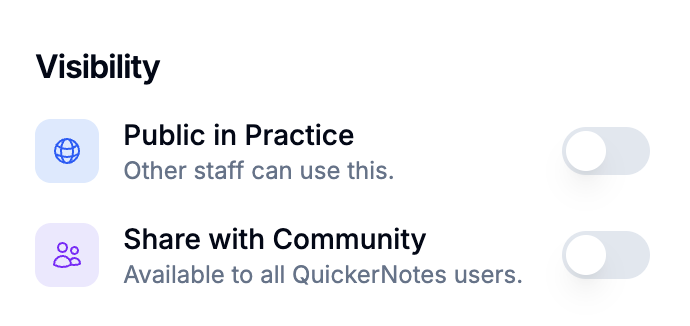
Within the template editor, owners can configure visibility:

  • Public in Practice
    Makes the template visible to other staff within the same tenant.

  • Share with Community
    Publishes the template for broader QuickerNotes community access.

Changing visibility does not transfer ownership.


Starred Templates

  • Starred templates are personal favorites.

  • Starring does not change ownership.

  • Starred templates appear first in Clara’s template picker during generation.

Starring improves workflow efficiency but does not affect permissions.


Community Workflows

When using Community templates:

  • Import the template into your tenant before customizing.

  • Imported templates become tenant-owned copies.

  • Community updates do not automatically overwrite your customized version.

This prevents unexpected changes to your documentation standards.


Governance Recommendations

To maintain consistency across your team:

  1. Define 3–5 standard templates per discipline.

  2. Make standard templates Public in Practice.

  3. Share to Community only if the template contains no tenant-specific or sensitive language.

  4. Require a Preview test before enabling templates for team-wide use.

Clear governance prevents duplication, confusion, and inconsistent documentation formatting.

Was this article helpful?

That’s Great!

Thank you for your feedback

Sorry! We couldn't be helpful

Thank you for your feedback

Let us know how can we improve this article!

Select at least one of the reasons
CAPTCHA verification is required.

Feedback sent

We appreciate your effort and will try to fix the article